
Table of Contents
What Is Tally.so?
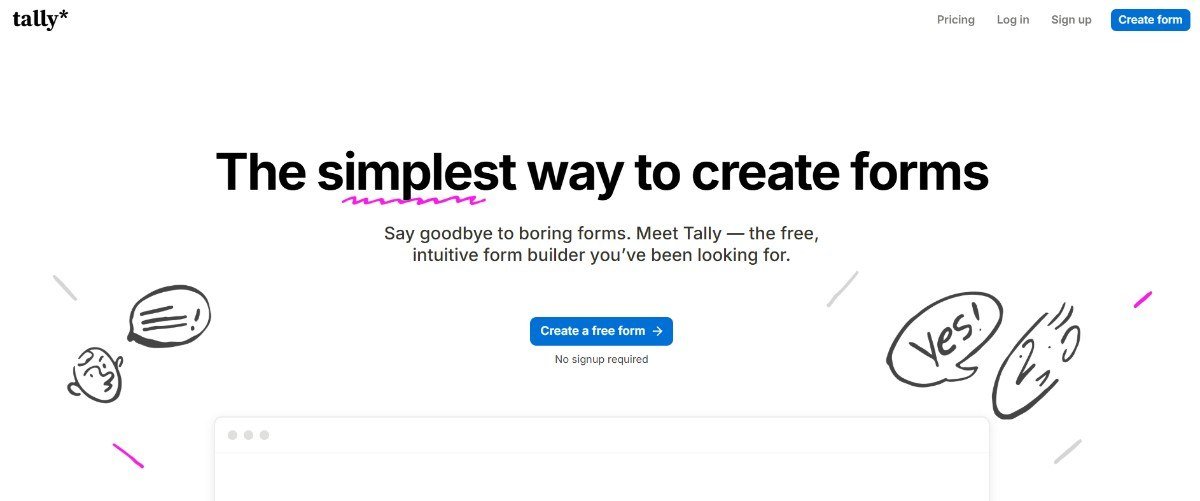
Tally.so is a no-code online form builder that helps individuals, creators, startups, and businesses create forms, surveys, registrations, and payment forms without writing code. Think of it as an alternative to Google Forms, but with more flexibility in design, customization, and interactive form experiences.
Tally offers unlimited forms and submissions on its free plan. It also includes features such as conditional logic, payment collection, electronic signatures, file uploads, and integrations with other tools. Source
Why Do People Use Tally?
Tally can be useful for almost anyone who needs to collect information online.
Here are some common use cases:
- Small businesses: Collect customer enquiries, leads, orders, and feedback.
- Startups: Create waitlists, customer surveys, onboarding forms, and applications.
- Individuals and creators: Manage event registrations, community sign-ups, and contact forms.
- Marketing teams: Run surveys, collect campaign feedback, and qualify leads.
- Freelancers and agencies: Build client briefs, project questionnaires, and feedback forms.
Instead of building a separate system for every use case, you can start with a template and customize it to suit your needs.

How to Use Tally.so
Creating a form with Tally is straightforward, even if you have no technical background.
Step 1: Open Tally
Visit tally.so and start creating a form.
Step 2: Choose a template or start from scratch
Browse templates for inspiration, or create your own form. You can also use Tally AI to generate a form from a text prompt.
Step 3: Add your questions
Include text fields, multiple-choice questions, dropdowns, file uploads, payment fields, and other supported blocks.
Step 4: Customize the design
Adjust the layout, fonts, colors, images, and other available design options to suit your brand or personal preference.
Step 5: Add conditional logic
Make the form interactive by showing or hiding questions based on a respondent’s answers.
For example, if someone selects Freelancer, you can show questions about their services. If they select Business owner, you can ask about their company instead.
Step 6: Connect your tools
Send responses to supported integrations such as Google Sheets, Notion, Slack, Zapier, or Make, depending on the workflow you want to build.
Step 7: Publish and share
Test your form, publish it, and share the link or embed it on your website. You can find step-by-step instructions in the official Tally Help Center.
Tally.so Features: What Can You Do With It?
Here are the features that make Tally more than just a basic form builder.
| Feature | What it does |
|---|---|
| Templates | Helps you get started with ready-made form layouts. |
| Customization | Personalize the form’s appearance, including fonts, colors, and images. |
| Multi-step forms | Break longer forms into smaller, more manageable sections. |
| Conditional logic | Show or hide questions based on previous answers. |
| Advanced question blocks | Add dropdowns, multiple-choice questions, matrices, ratings, and file uploads. |
| Payments | Collect payments through supported payment integrations. |
| Electronic signatures | Collect signatures directly through a form. |
| Calculations | Calculate scores, totals, or other values from responses. |
| Hidden fields | Pass additional information into a form, such as campaign or lead-source details. |
| Integrations | Connect form responses with other apps and automation workflows. |
| Embedding | Add forms to websites and supported platforms. |
| AI form builder | Generate, edit, and troubleshoot forms using natural-language prompts. |
Many of these features are available on the free plan, subject to Tally’s fair-use guidelines and the specific feature’s limitations. Source
Tally vs Google Forms: Which Is Better?
Google Forms is a reliable choice for straightforward surveys and data collection. Tally is particularly appealing when you want more control over the appearance and experience of a form.
Here’s a quick comparison.
| Feature | Tally.so | Google Forms |
|---|---|---|
| Free plan | Yes | Yes |
| Unlimited forms and responses | Yes, subject to fair use | Yes, subject to applicable limits and policies |
| Templates | Variety of use-case templates | Templates available |
| Visual customization | Flexible design options | More basic customization |
| Conditional logic | Advanced, flexible rules | Section-based branching |
| Multi-step forms | Yes | Yes, using sections |
| Payments | Supported payment collection | Generally requires an external solution |
| Electronic signatures | Built-in signature field | Generally requires an add-on or external solution |
| Integrations | Google Sheets, Notion, Zapier, Make, and more | Strong Google Workspace integration and other options |
| AI form creation | Available | Availability depends on Google’s current tools and plan |
Comparison based on the platforms’ published features; specific capabilities and limits can change.
My take: Choose Google Forms if you need a simple survey and already work extensively in Google Workspace. Choose Tally if design flexibility, interactive questions, payments, signatures, and customizable user experiences are important to you.
For a more detailed feature comparison, check Tally’s official comparison guide.
Is Tally Forms Really Free?
Yes. Tally offers a free plan with unlimited forms and submissions, subject to its fair-use policy. Several advanced features, including conditional logic, calculations, payments, signatures, and integrations, are also available without a paid subscription. You don’t necessarily need to upgrade just because you want to build a sophisticated form.
How Much Does Tally.so Cost?
Tally has a free plan and two main paid plans. The following prices are listed on its pricing page; check the official pricing page for current billing options and terms.
| Plan | Listed price | Best for |
|---|---|---|
| Free | $0 | Individuals, creators, and small projects |
| Pro | $24/month | Users who need custom domains, no Tally branding, and advanced customization |
| Business | $74/month | Organizations needing additional controls, including data-retention settings and email verification |
Paid-plan features and pricing may vary with billing arrangements, so confirm the latest details before subscribing.
Why I Like Using Tally.so
- Templates for everything: Whether you’re running a small business, building a startup, organizing an event, or collecting client feedback, there are plenty of templates to get started.
- Clean and soothing UI: The forms look visually appealing and feel thoughtfully designed, making the experience more enjoyable.
- More engaging than traditional forms: Let’s be honest, filling out forms can be boring. Tally makes the experience feel more interactive and less monotonous.
- Customization and personalization: Unlike the familiar, repetitive look of Google Forms, Tally gives you more flexibility to customize forms and make them feel unique.
- Smart conditional logic: Show relevant follow-up questions based on a user’s answers instead of asking everyone the same set of questions.
- Interactive, multi-step forms: Break longer forms into smaller sections and use advanced blocks to make them easier to complete.
- Payments and signatures: Collect payments and electronic signatures directly through supported form features.
- Integrations and automation: Connect Tally with tools like Notion, Slack, Google Sheets, Chatgpt, Claude, Zapier, and Make to turn form responses into automated workflows.
My takeaway: I like Tally because it combines great templates, thoughtful design, and powerful functionality. For someone exploring marketing, client workflows, events, and automation, it’s a tool worth trying.
Conclusion: Should You Try Tally.so?
If you need a basic form, Google Forms is perfectly fine. But if you want to create forms that look good, feel interactive, and adapt to the person filling them out, I think Tally is worth exploring. What I like most is the combination of templates, design flexibility, conditional logic, and integrations. You can start with a simple form and gradually turn it into something more sophisticated without needing to code.
You don’t have to take my word for it.
Your activity: Give Tally a try!
Here’s a small challenge:
- Visit Tally.so.
- Create a form for something you actually need: an event registration, a client feedback survey, or a personal questionnaire.
- Customize its design and add at least one interactive feature.
- Submit the form yourself and see what the experience feels like from the respondent’s side.
Then tell me: Was creating and filling out the form easier or more enjoyable than you expected? I’d love to know your experience.