
Table of Contents
Have you ever commented “LINK” on an Instagram Reel and instantly received a direct message with the resource you wanted?
That is Instagram DM automation in action.
For creators, businesses, and marketers, Instagram is more than a platform for sharing content. It is also a channel for generating leads, sharing resources, answering customer questions, and driving sales. But manually replying to hundreds of comments and messages can quickly become time-consuming.
This is where Instagram DM automation tools like Zorcha can help.
Zorcha allows creators and businesses to automate direct messages triggered by Instagram interactions, share links with their audience, and respond to frequently asked questions. Its free plan includes unlimited automations and automated DMs, subject to Instagram’s messaging rules and the platform’s applicable feature limits
In this guide, we will explore what Instagram DM automation is, how it works, how to set it up using Zorcha, how much it costs, and how to choose the right automation strategy for your needs.
What is Instagram DM automation?
Instagram DM automation is the process of automatically sending direct messages in response to specific actions, such as someone commenting on a post, replying to a Story, or messaging an account.
Instead of manually responding to every interaction, you configure rules that determine when a message should be sent and what it should contain.
For example, imagine you publish an Instagram Reel about five AI marketing tools and ask viewers to comment “TOOLS” to receive your list.
With a DM automation tool such as Zorcha, you can configure a workflow that sends the resource to people who comment with the relevant keyword.
Common uses of Instagram DM automation include:
- Sending links to free guides, templates, and downloadable resources.
- Sharing product pages and discount codes.
- Responding to frequently asked questions.
- Collecting leads from interested users.
- Directing potential customers to booking pages.
- Reducing repetitive manual replies.
The goal is not to replace genuine conversations. It is to automate repetitive tasks so creators and businesses can spend more time on interactions that require a personal response.
What is Zorcha?
Zorcha is an Instagram automation platform designed to help creators and businesses turn Instagram engagement into conversations, link clicks, and potential leads.
Its features include comment-triggered DMs, follow prompts, audience management, analytics, and AI-powered FAQ responses. More advanced plans add capabilities such as personalised messages, follow-ups, audience segmentation, and a flow builder. Source: Zorcha pricing
Key features of Zorcha
1. Comment-to-DM automation
Automatically send a direct message when someone comments on a selected Instagram post or Reel. This is useful for distributing lead magnets, sharing product links, and responding to content-specific requests.
2. Ask for Follow
Prompt users to follow your Instagram account before receiving a resource or link through an automation.
3. AI-powered FAQs
Configure answers to common questions so users can receive relevant information without waiting for a manual reply. The available FAQ limits and AI credits depend on your plan.
4. Lead collection
Use supported automation flows to collect information such as names, email addresses, or phone numbers from interested users.
5. Analytics
Review available automation activity and engagement data to understand how people interact with your messages and links.
6. Advanced automation flows
Eligible paid plans offer additional workflow options, including conditional steps, delays, and integrations.
These features can help creators and businesses streamline repetitive communication while making it easier for their audience to access relevant information.
How does Instagram DM automation work?
Instagram DM automation works through a combination of triggers, rules, and automated responses.
Here is a simplified example:
User comments → Automation detects the interaction → A DM is sent → User receives the resource → You measure the results
Consider a creator promoting a free social media marketing checklist.
- The creator publishes a Reel about improving Instagram engagement.
- The caption asks viewers to comment “CHECKLIST.”
- Zorcha detects a qualifying comment according to the configured automation.
- The platform sends the configured DM containing the checklist link.
- The creator reviews available analytics to evaluate the campaign.
The creator no longer needs to send the same link manually to every interested person.
Automations must still operate within Instagram’s messaging permissions, rate limits, and applicable policies. Automated messaging does not guarantee that every message will be delivered immediately.
How to automate Instagram DMs using Zorcha: Step-by-step guide
If you are new to Instagram automation, start with one simple workflow before building more complicated sequences.
Step 1: Create your Zorcha account
Visit Zorcha’s official website and create an account.
Review the available plans and select the option that fits your requirements.
Step 2: Connect your Instagram account
Connect the Instagram account you want to automate and grant the requested permissions.
Zorcha’s documentation indicates that an Instagram professional account, either Business or Creator, is required for its DM automation. If you are using a personal account, check Instagram’s current account settings to switch to a supported account type.
Follow the connection instructions in Zorcha and confirm that the account is connected successfully.
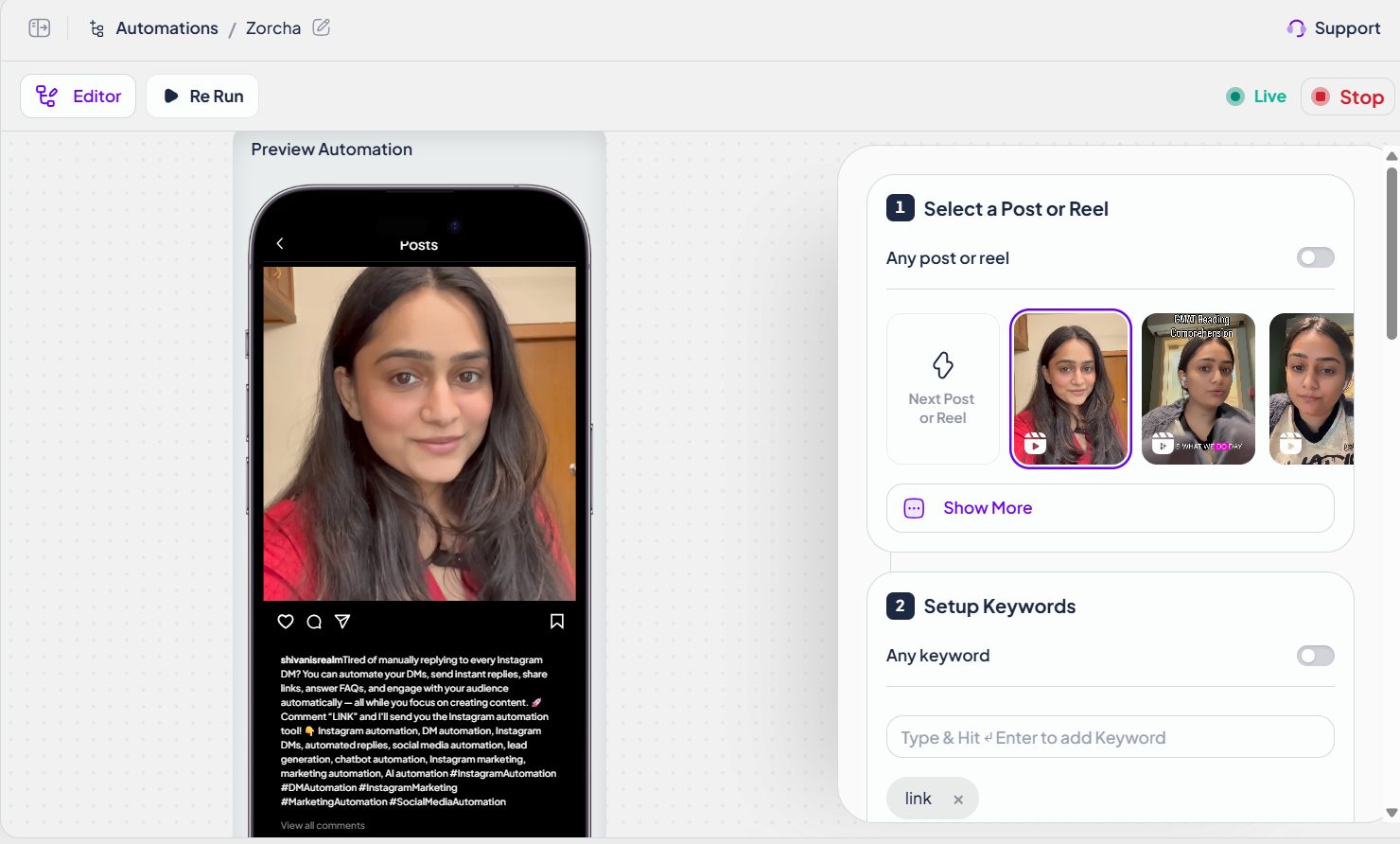
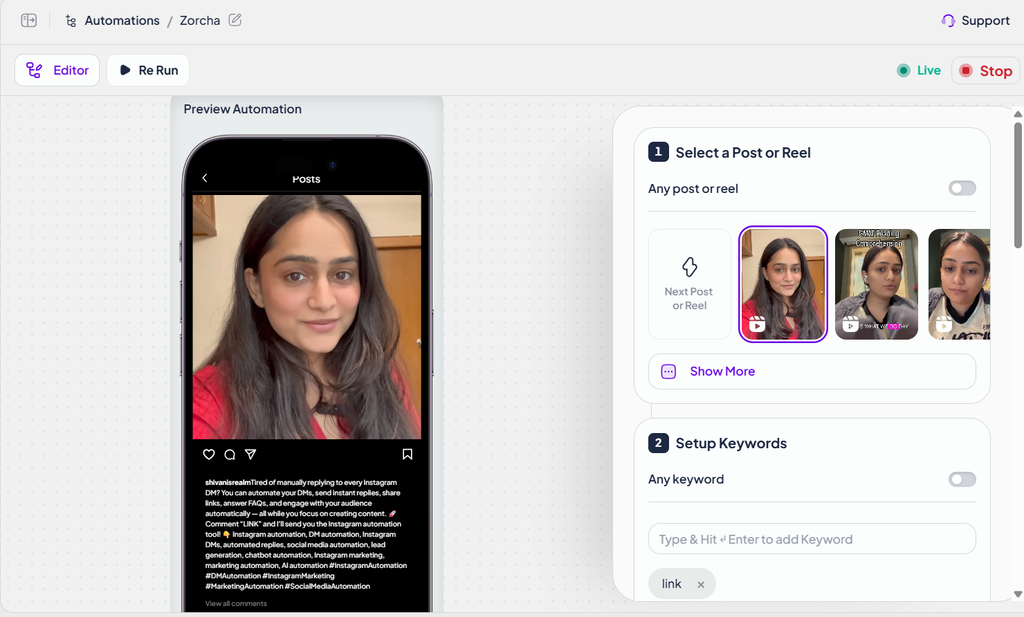
Step 3: Select a post or Reel
Open the automation section in your Zorcha dashboard and create a new automation.
Choose the Instagram post or Reel that you want to use as the trigger.
For your first automation, select content that already attracts questions, resource requests, or meaningful engagement.
Step 4: Define the trigger
Decide which interaction should initiate the automation.
For example, you might configure a comment-to-DM workflow for users who comment with a particular keyword, such as “GUIDE.”
Make the keyword clear in your caption so users understand what action they need to take.
Step 5: Write your automated DM
Create a message that delivers the promised information.
For example:
“Hey! Thanks for your interest in the guide. You can access it here: [your link]. Hope you find it useful!”
Keep the message relevant to the original post. Avoid making the interaction feel like an unsolicited sales pitch.
Step 6: Test the automation
Before promoting the post, test the workflow using an appropriate account and the platform’s supported testing process.
Check that:
- The correct interaction triggers the automation.
- The message contains the right link.
- The message is clear and easy to understand.
- The automation does not send duplicate or irrelevant messages.
Step 7: Publish and review the results
Activate the automation and monitor the available performance data.
Look at metrics such as automation activity, message engagement, and link clicks where available.
Use these insights to improve the original content, trigger wording, and message copy.
For more detailed instructions, consult Zorcha’s official help centre.
How can businesses use Instagram DM automation?
Instagram DM automation is useful for more than sending links. Different businesses can use it to support different stages of the customer journey.
| Use case | Example automation | Potential benefit |
|---|---|---|
| Content creators | Send a free guide when someone comments “GUIDE” | Distribute resources efficiently |
| E-commerce brands | Send a product link after a user requests details | Shorten the path to a product page |
| Coaches and consultants | Share a booking link with interested users | Generate potential enquiries |
| Marketing agencies | Deliver a campaign checklist through DMs | Attract and qualify leads |
| Online educators | Send course information or a relevant resource | Answer repetitive questions |
| Local businesses | Share booking or service information | Reduce manual enquiries |
The cost of Instagram automation depends on the platform, the features you need, and the volume and complexity of your workflows.
Zorcha offers a free plan and paid subscription tiers. Its published pricing lists the following plans:
| Zorcha plan | Published price | Best suited for |
|---|---|---|
| Free | $0/month | Beginners testing basic automation |
| Pro | $14.99/month | Creators needing additional automation features |
| Ultimate | $39.99/month | Users needing advanced flows and integrations |
| Business | $109.99/month | Businesses needing higher AI credit allowances and advanced capabilities |
Prices are listed in USD and may change. Check the official Zorcha pricing page for current pricing, billing terms, feature availability, and plan limits.
Is free Instagram DM automation enough?
For creators who primarily want to send links when someone comments on a Reel, a free plan may be a practical starting point.
Zorcha’s free plan lists unlimited automations, unlimited automated DMs, unlimited contacts, basic analytics, and up to 20 AI FAQs. AI features have separate credit allowances, and advanced functionality depends on the subscription tier.
Consider a paid plan when you need more sophisticated flows, personalised messages, follow-ups, segmentation, or integrations.
The best plan is not necessarily the most expensive one. Choose based on the specific tasks you want to automate.
Best practices for Instagram DM automation
To make Instagram automation useful for your audience, follow these principles.
1. Set clear expectations. Tell users what they will receive when they comment or interact with your content.
2. Deliver what you promise. If your Reel offers a free guide, the automated DM should contain that guide rather than an unrelated sales message.
3. Keep messages conversational. Short, specific messages are generally easier to understand than long, generic promotional messages.
4. Test before launching. Check triggers, links, and message delivery before directing significant traffic to an automation.
5. Respect privacy and consent. Collect only the information you need, explain how it will be used where appropriate, and follow applicable privacy requirements.
6. Follow Instagram’s rules. Use supported account connections and approved messaging methods. Avoid spam-like behaviour and excessive or irrelevant messaging.
7. Measure outcomes, not just activity. A high number of automated DMs does not automatically mean a successful campaign. Evaluate meaningful engagement, link clicks, enquiries, and conversions where measurable.
8. Keep a human option available. Automated answers work well for repetitive questions, but complex complaints and individual customer needs may require a person.
Is Zorcha the right Instagram automation platform for you?
Zorcha may be worth considering if you want to automate Instagram comment responses, deliver resources through DMs, answer frequently asked questions, or build more structured messaging workflows.
It can be particularly relevant to creators, small businesses, and marketers who want to begin with simple automations and expand as their needs grow.
Before choosing any Instagram automation platform, consider these questions:
- Does it support the triggers you need?
- Can you send the types of messages and links your workflow requires?
- Are analytics available for measuring results?
- Does the plan include the integrations you need?
- Are the account connection and messaging methods compliant with Instagram’s requirements?
- Does the pricing make sense for your current stage?
Start with one clear use case, measure the results, and expand only when the automation provides real value.
Frequently asked questions about Instagram DM automation
1. Is there a way to automate Instagram DMs?
Yes. You can automate Instagram DMs using third-party platforms such as Zorcha. These tools can send messages in response to supported Instagram interactions, such as comments on selected posts or Reels. You configure the trigger and message in advance, allowing repetitive replies and resource delivery to happen automatically. Use a supported account connection and follow Instagram’s messaging policies.
2. What is Instagram DM automation and how does it work?
Instagram DM automation is a system that sends direct messages automatically when a user performs a specified action. For example, someone might comment “GUIDE” on a Reel and receive a DM containing a download link. An automation platform detects the qualifying interaction and sends the configured response. Depending on the tool and plan, workflows may also support FAQs, lead collection, and additional steps.
3. How much does Instagram DM automation cost?
Instagram DM automation can be free or paid, depending on the platform and features required. Zorcha’s published plans include a free tier, Pro at $14.99 per month, Ultimate at $39.99 per month, and Business at $109.99 per month. Prices are listed in USD and may change. Check Zorcha’s official pricing page for the latest plans and feature limits.
4. Which DM automation is best?
The best Instagram DM automation platform depends on your goals, budget, and required features. Zorcha is an option for creators and businesses looking for comment-to-DM automation, resource delivery, AI-powered FAQs, and additional workflow capabilities. Compare platforms based on trigger options, messaging features, integrations, analytics, pricing, and compliance with Instagram’s rules before choosing one.
Conclusion
Instagram DM automation can help creators and businesses turn audience interactions into more useful conversations without manually sending every response.
With Zorcha, you can start with a simple comment-to-DM workflow, share resources with interested users, and explore additional automation features as your needs grow.
The most effective approach is to start small: choose one repetitive task, build a relevant automation, test it, and measure the results.
Ready to get started? Visit Zorcha to explore its Instagram DM automation features and choose a plan that fits your workflow.